Lumehush

Features

Everything you own, in one calm place.

A tour of what Lumehush does today. Every screen below is the real app, shown with a demo library of invented titles and artwork.

Library

Your folders, turned into a streaming-style library.

Point Lumehush at your film, TV and music folders. It works out titles, seasons and episodes, fetches artwork, and keeps watching for new files, so a download shows up by itself.

  • Episodes recognised from names like S01E02, 1x02 or season folders
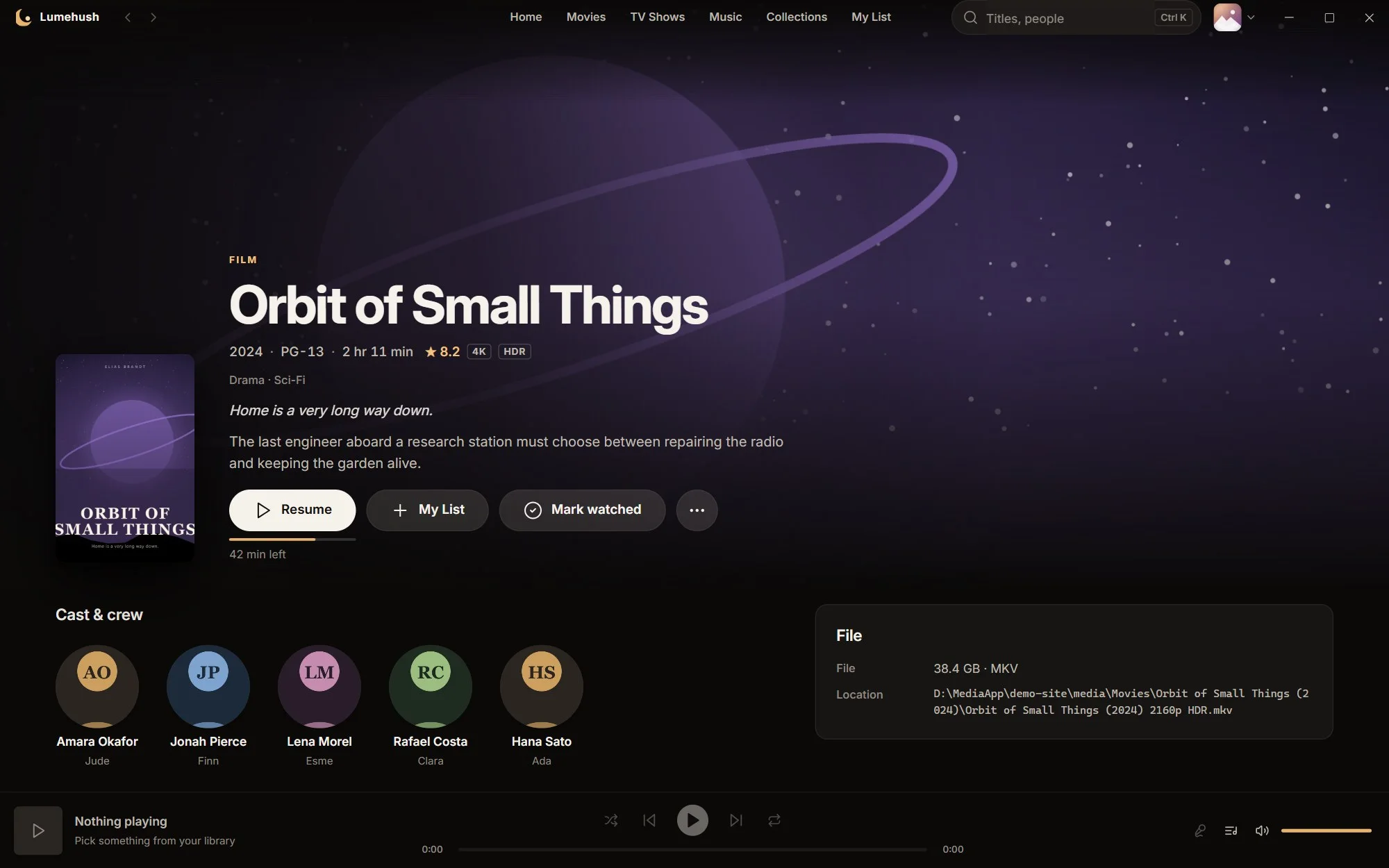
  • Title pages with cast photos, a File card (video, audio languages, subtitles, size, folder) and More like this
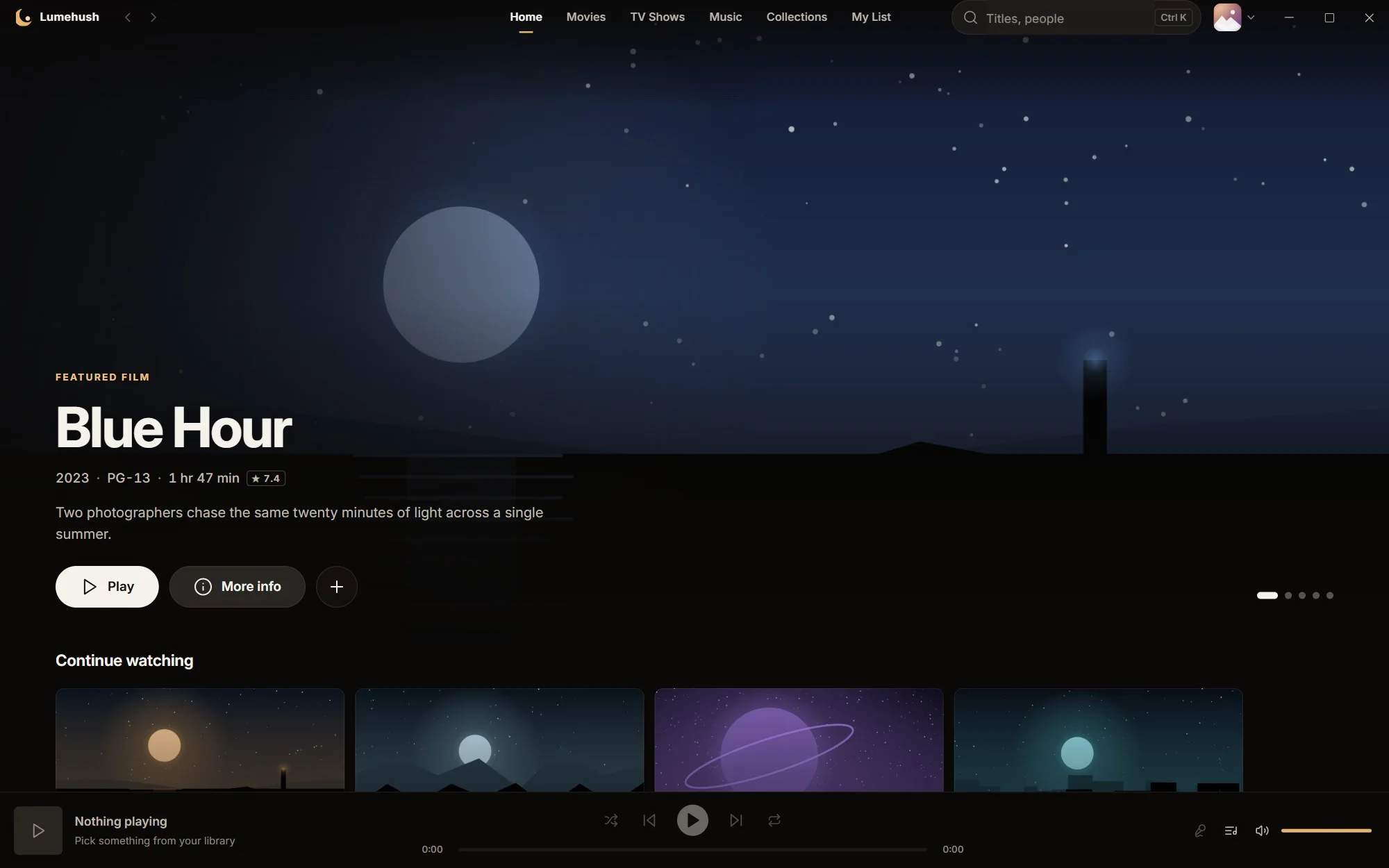
  • Home rows for Continue watching, Recently added, New episodes, My List and Collections
  • Search across titles, people and tags with Ctrl + K
A film's page in Lumehush: planet backdrop, rating, quality badges, a Resume button and the cast.

Library health

Finds wrong matches, duplicates, missing artwork and episode-numbering clashes, then fixes them in one click. Every fix can be undone.


Bring Jellyfin across

Import an existing Jellyfin library with watched state, resume points and collections. It reads a copy and never changes Jellyfin.

Better artwork, optional

Add your own free TMDB key to re-match titles and pick posters (2-minute guide). Without one, Lumehush uses your local artwork, and album covers come from MusicBrainz.

Player

A player that respects the picture.

Lumehush plays your files as they are. Nothing is converted first, and your graphics card does the decoding, so even 4K HDR plays with the processor nearly idle.
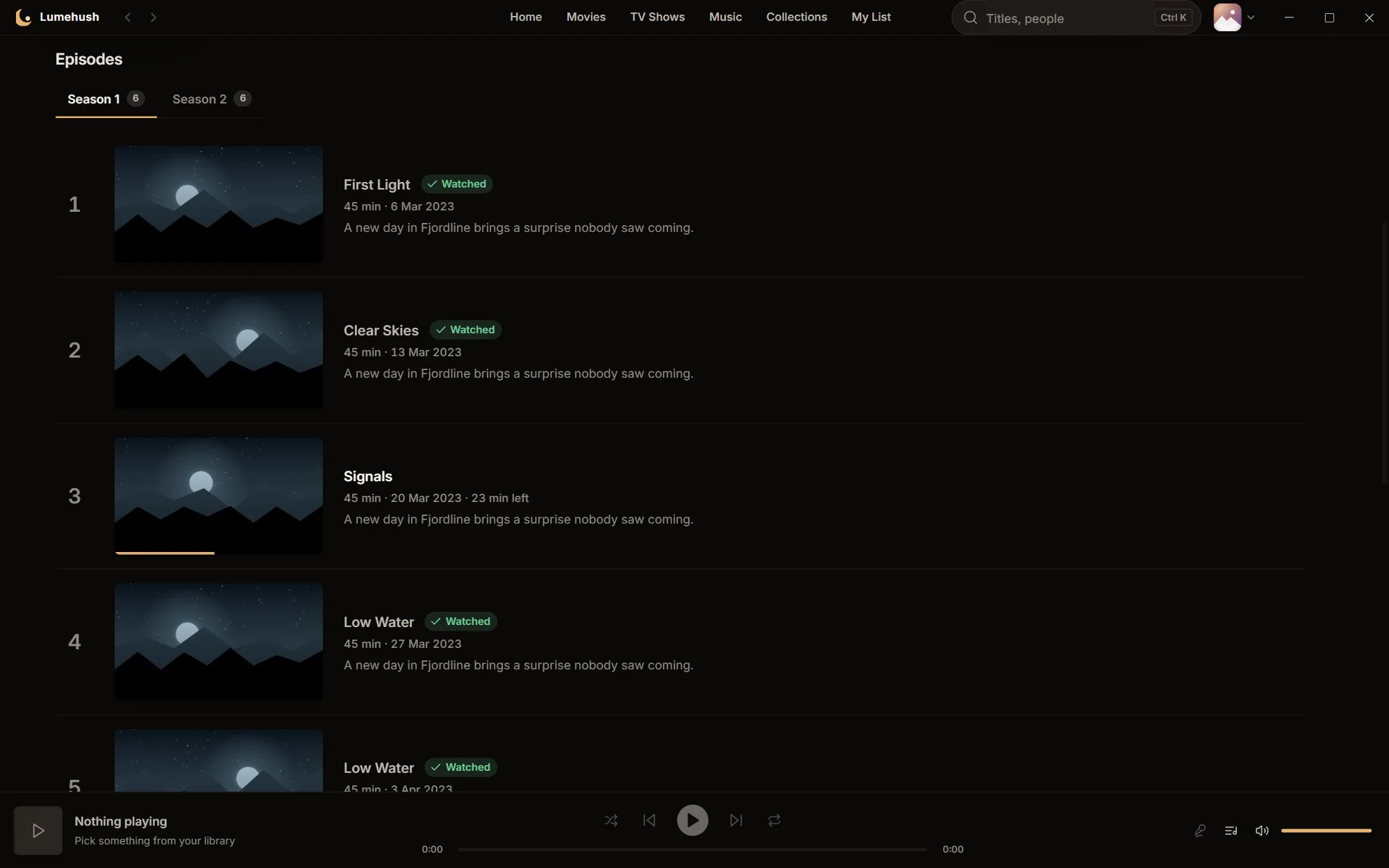
  • Resume where you stopped; your place is saved as you watch
  • Skip intro, recap and credits, then on to the next episode
  • Subtitle and audio menus, chapter marks and scrubber previews
  • Media keys and the Windows media overlay work as you'd expect
A TV show's page with a season picker and episodes showing watched ticks and progress.

Sound

Hear the dialogue without riding the volume.

Films are mixed for cinemas. Lumehush has plain-language fixes for TV speakers, laptops and headphones, right in the player.

  • Night mode: quieter explosions, louder whispers, no lip-sync delay
  • Surround to stereo: an automatic mix for two speakers, with a dialogue boost style
  • Clear dialogue: a gentle lift of the voice range only
  • Level volume: every title at the same loudness, with clipping protection always on

Save a choice for your profile, or just for one title.
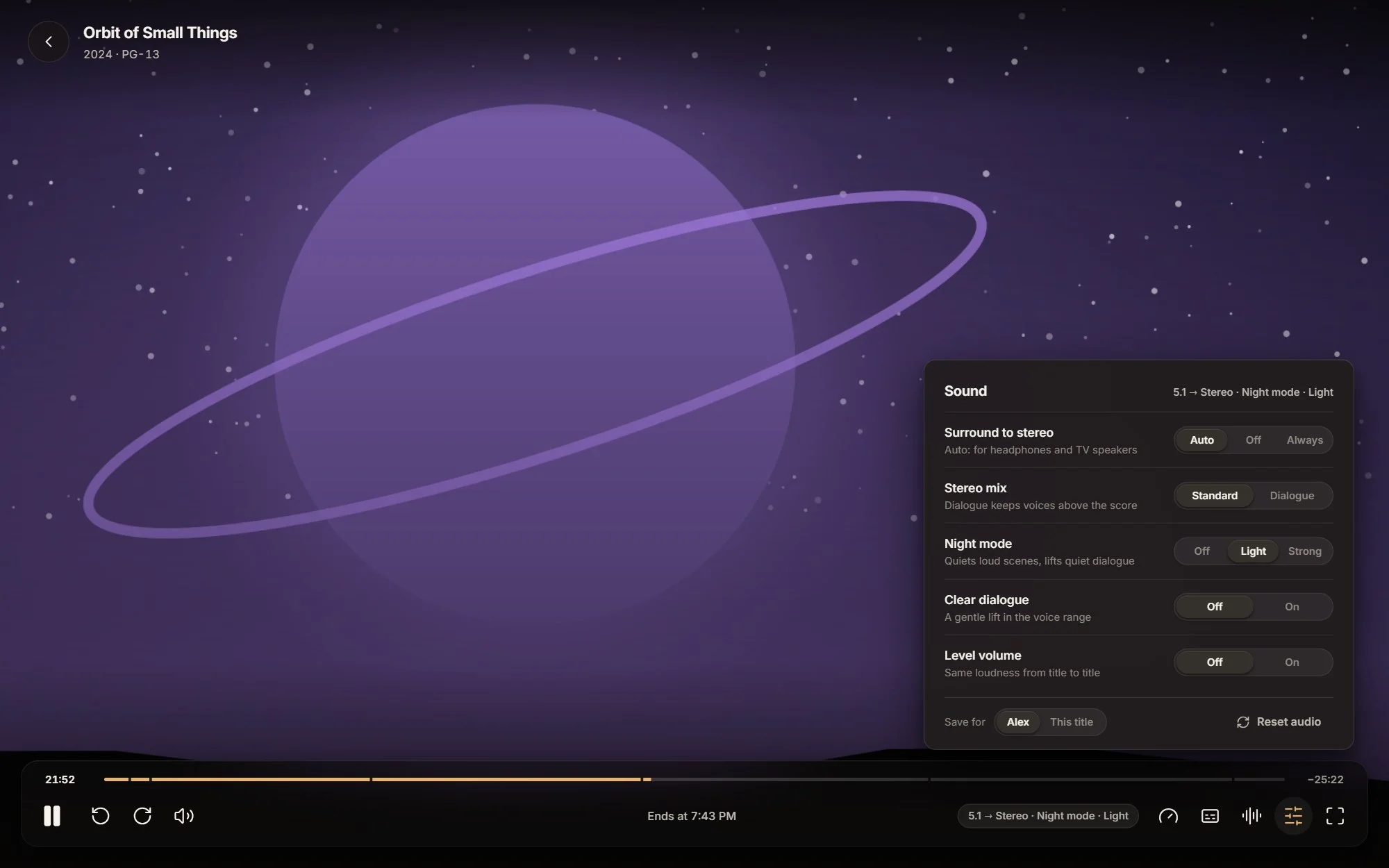
The Lumehush player with its Sound panel open: surround to stereo, stereo mix, night mode, clear dialogue and level volume.

Music

Music, done properly.

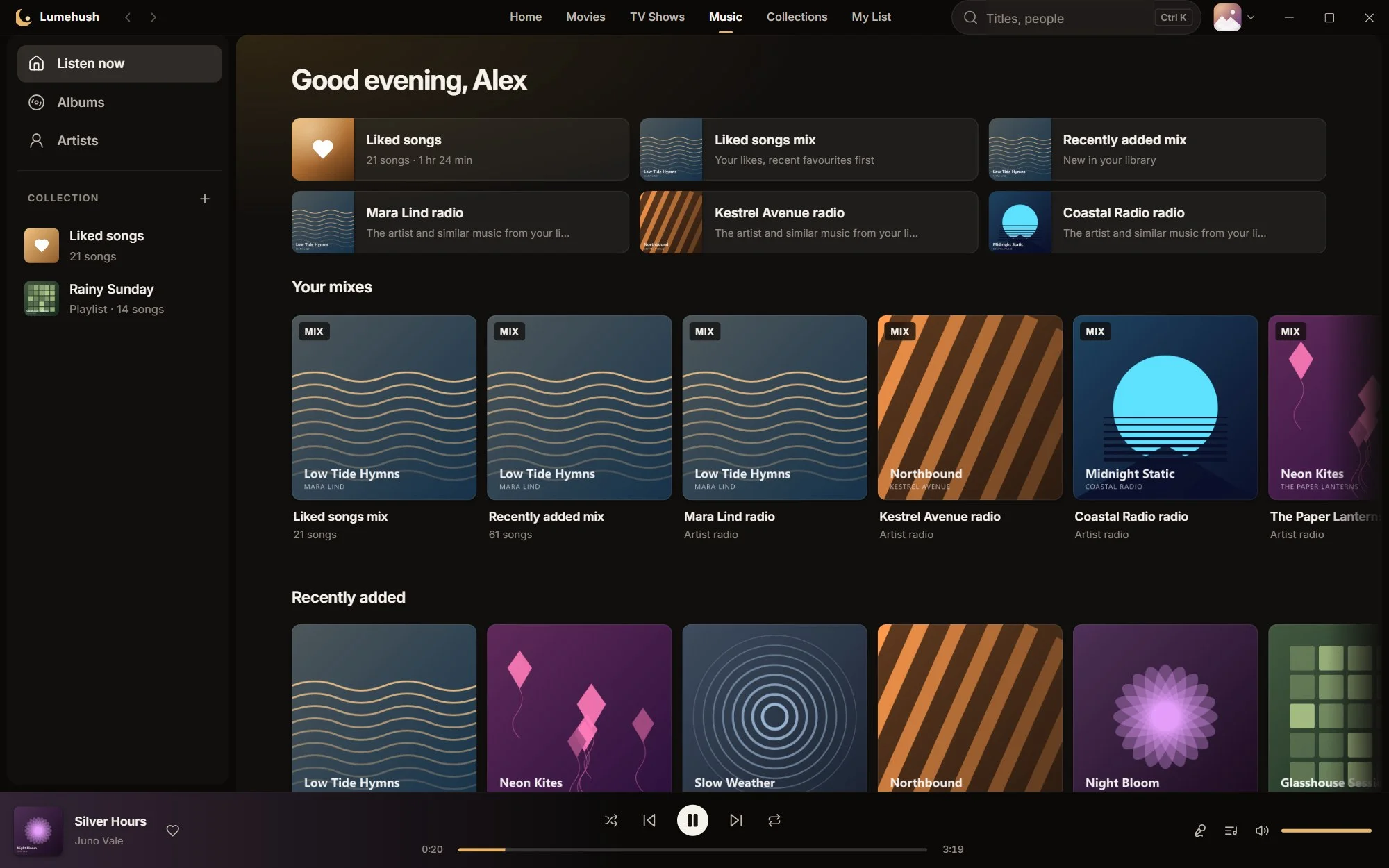
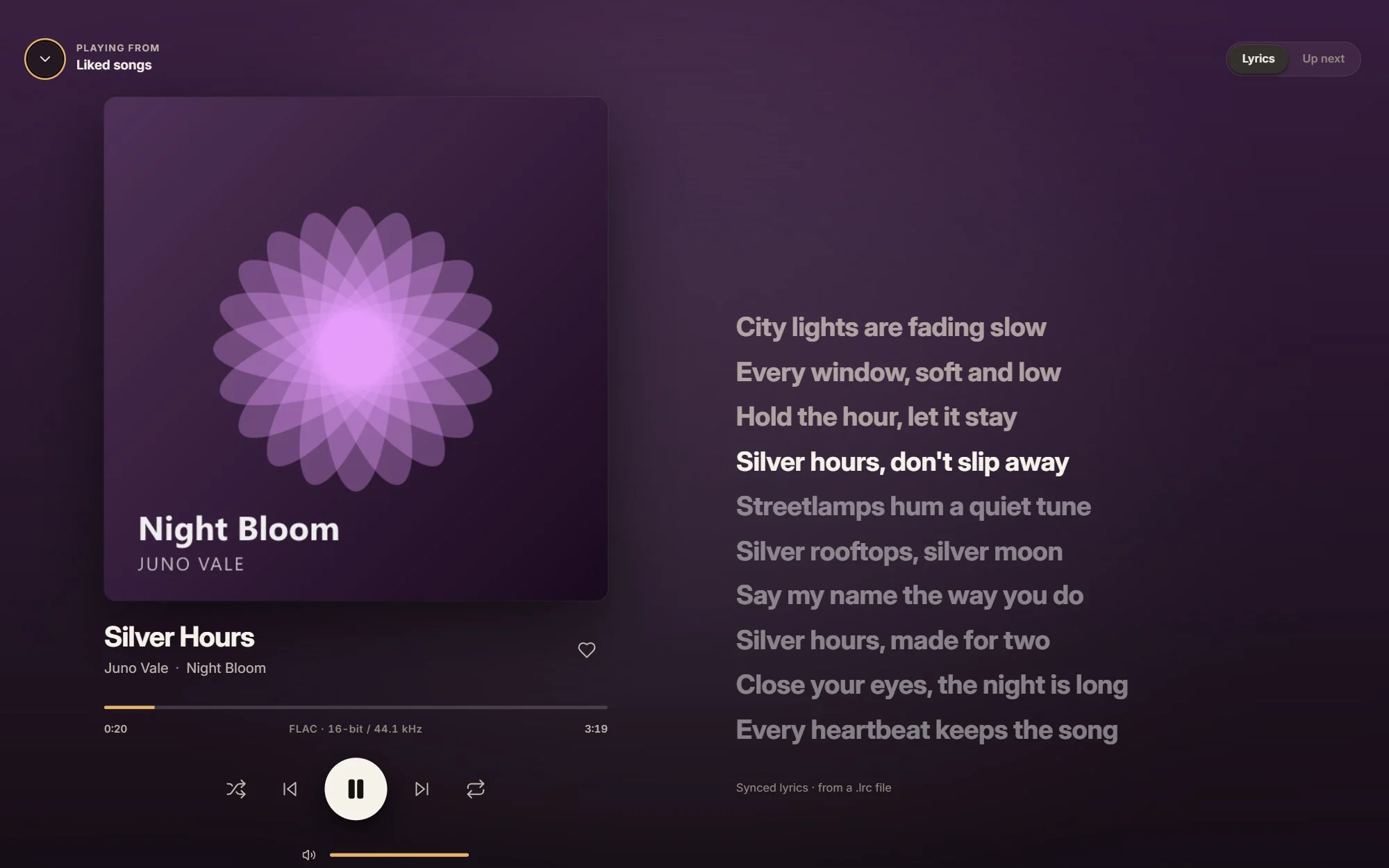
Albums, artists, playlists, mixes and a queue, with a player bar that stays put while you browse and a now-playing screen tinted from the cover.
  • Sample-exact gapless albums; crossfade up to 12 s with a smart mode
  • Synced lyrics from the file or a .lrc beside it
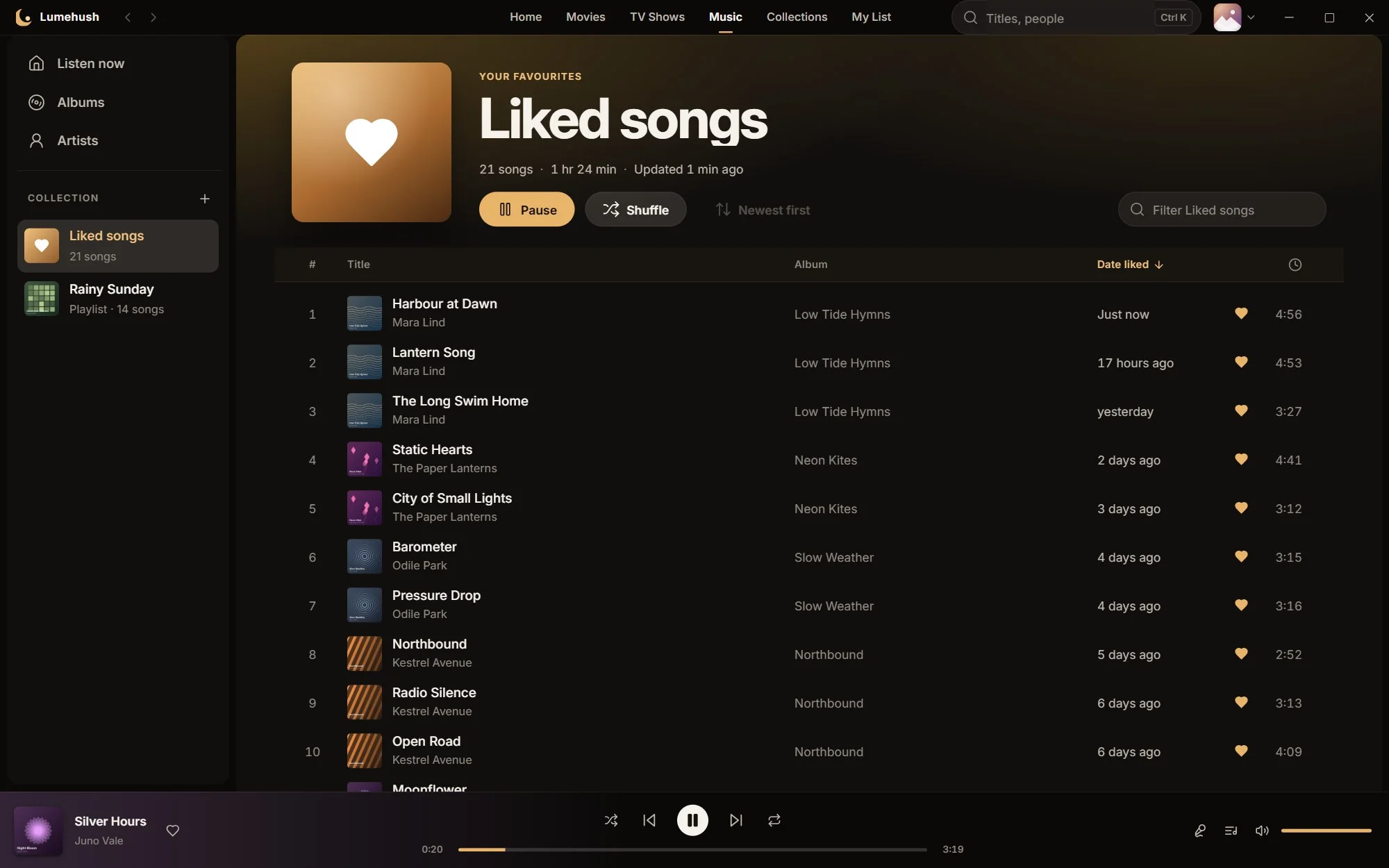
  • Liked songs, newest first, smooth with tens of thousands of tracks
  • Mixes: Liked, Artist radio, Rediscover and Recently added
  • ReplayGain levelling, with untagged songs measured once in the background
The Lumehush music home with mixes, artist radio and recently added albums.
The now-playing screen with large album art and synced lyrics highlighted line by line.
The Liked songs list, newest first, with album, date liked and duration columns.

Profiles and Kids

One library, everyone's own place in it.

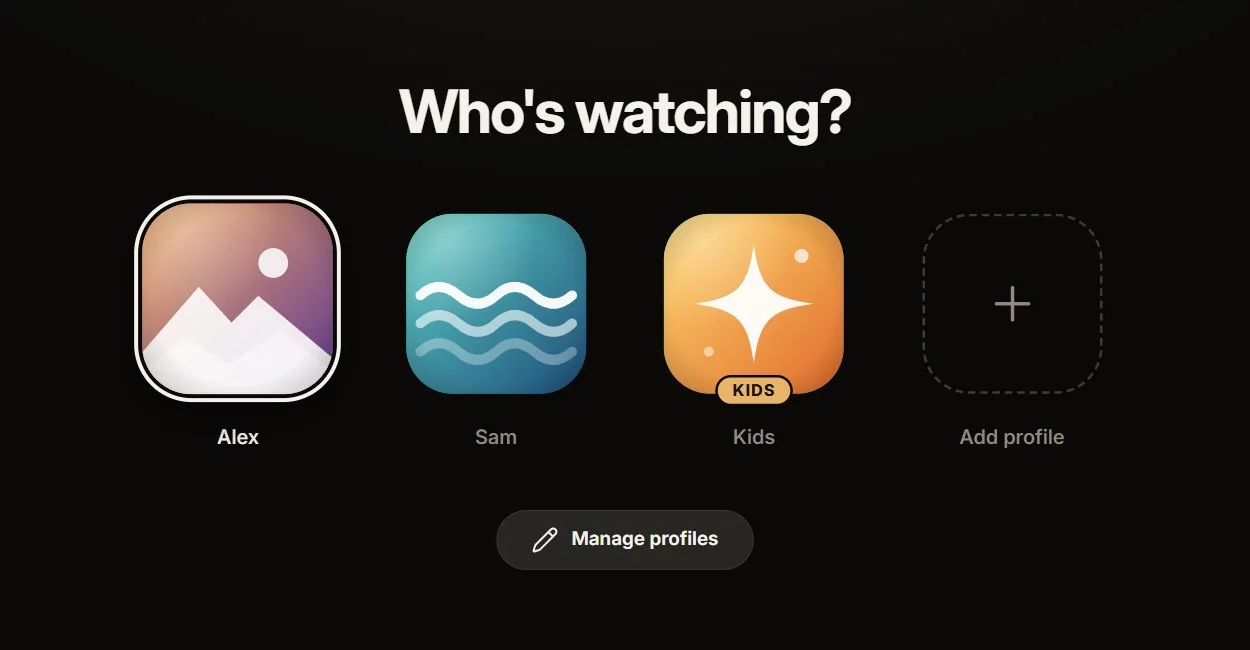
"Who's watching?" profiles, each with its own Continue watching, My List, Liked songs, queue and settings. The library is scanned once and shared.
  • An optional 4-digit PIN per profile, stored scrambled, never as plain text
  • Kids profiles with a rating limit: Little kids (G), Older kids (PG) or Teens (PG-13)
  • Switch in one click from the avatar menu; the library doesn't reload
The Who's watching profile picker with three profiles, one marked Kids.

Performance

Light when open. Nothing when closed.

No server, no background service, no browser tab left running. Lumehush is a native Windows app that only works while you use it.

0background services or servers
GPUdoes the video decoding, even for 4K HDR
< 0.5 %of one core for the whole sound chain
< 50 msto load a list of 50,000 Liked songs

Gives memory back

Minimise Lumehush and it hands memory back to Windows and uses next to no processor time.

Polite online

Artwork lookups are limited to one request a second and cached, so the same thing is never fetched twice.

Gentle on the eyes and the GPU

Reduce effects and Reduce motion in Settings, per profile. Windows' own animation setting is followed too.

Private and local

Your library stays on your PC.

There's no account to create and nothing is uploaded. Lumehush goes online only for artwork and details lookups and to check for updates when you ask.
  • Read-only: it never moves, renames or changes a media file
  • Corrections live in Lumehush's own library, not in your files
  • One data folder holds everything; back up a single file
The Lumehush home screen: a featured film and a Continue watching row, all from files on this PC.

Early access

Be first in line.

Lumehush isn't available to download yet. Join early access on the home page and we'll email you when it is.